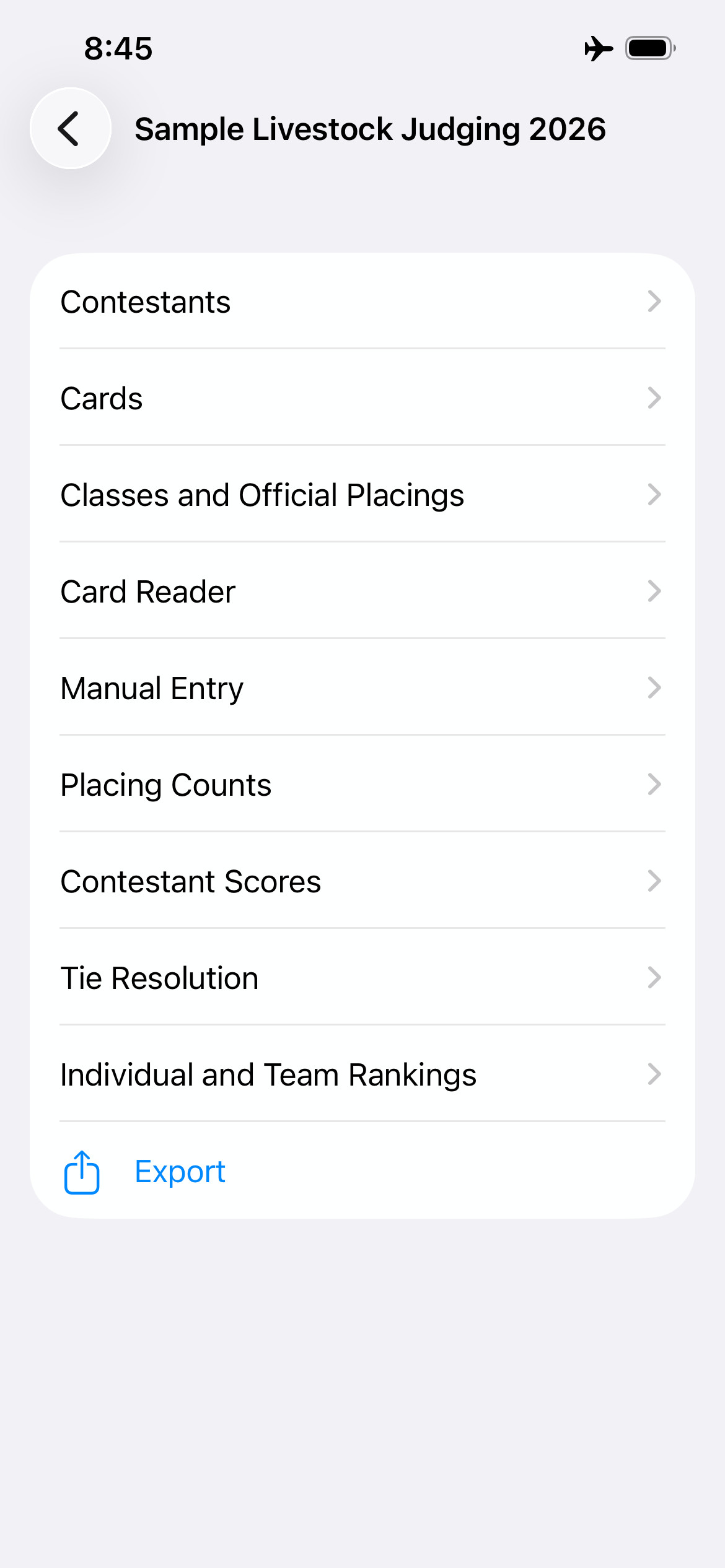
Judging Scores handles everything from contest setup through final rankings. No expensive Scantron machine. No third-party tabulation service.
The problem
For years, running a professional livestock judging contest meant renting or owning an expensive Scantron machine, ordering proprietary answer forms in advance, and depending on a third-party service to post your results. Organizations with smaller budgets made do with hand tabulation, which is slow and error-prone.
Judging Scores puts a complete tabulation workflow on the iPhone you already own. Any organization, any size, any location – with results ready the moment the last card is scanned.
How it works
Before an important contest, we recommend running through all six steps once with a small sample contest – a few made-up classes and contestants. It only takes a few minutes, helps everything feel familiar on the day that matters, and can be deleted afterward.
Download the contest template and fill it in like any spreadsheet – contest name, class types and names, divisions, teams, and your contestant roster. Works in Excel or Google Sheets, so large contests can be built collaboratively. Import the completed file into the app with a single tap. The app validates your setup and flags any issues before the contest can start. Once imported successfully, the full contest workflow becomes available.
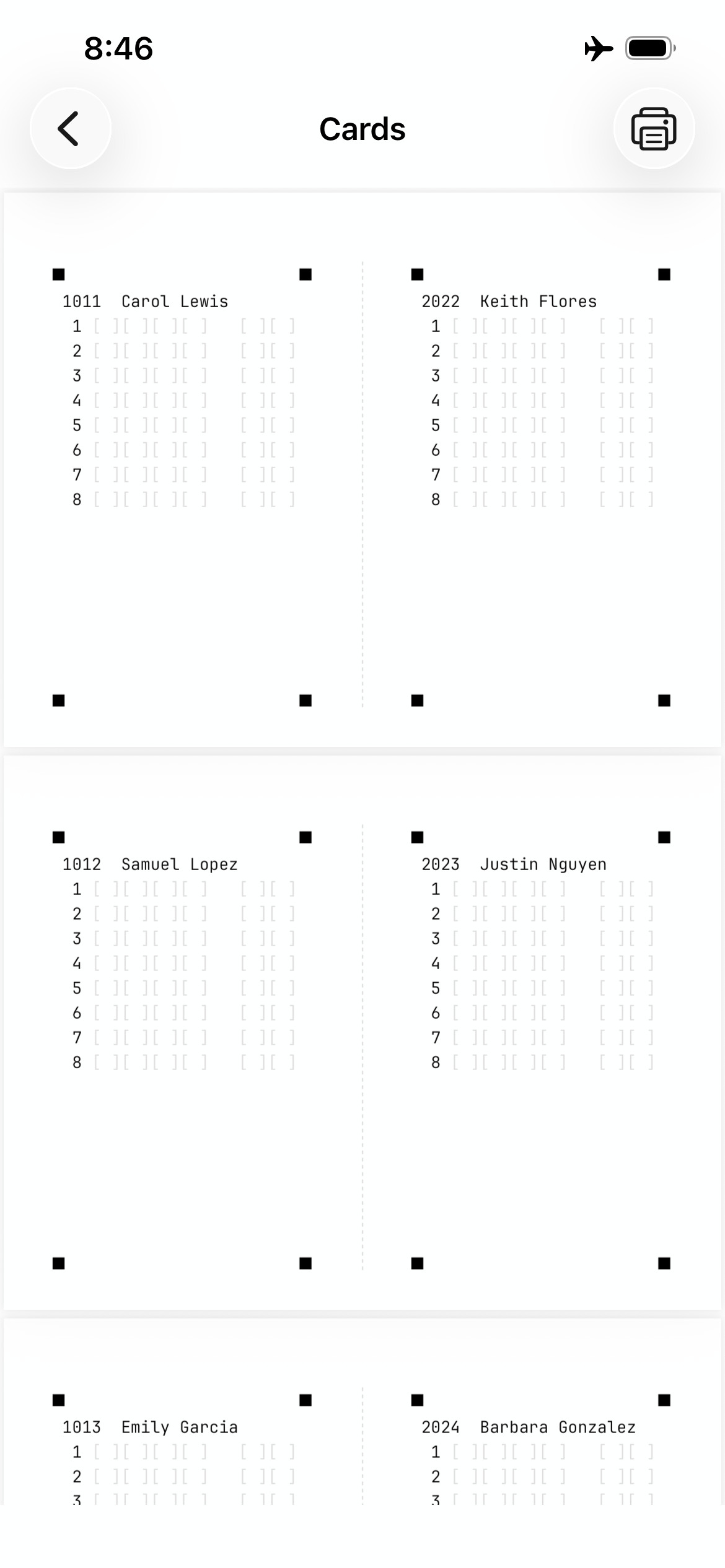
Once your contest is imported, the app will generate judging cards ready to print – two per page, landscape, on 8.5×11 paper. Each card carries the contestant's number and name, with a space for their written placings and reasons scores for every class. No special forms to order, no Scantron paper to stock in advance.
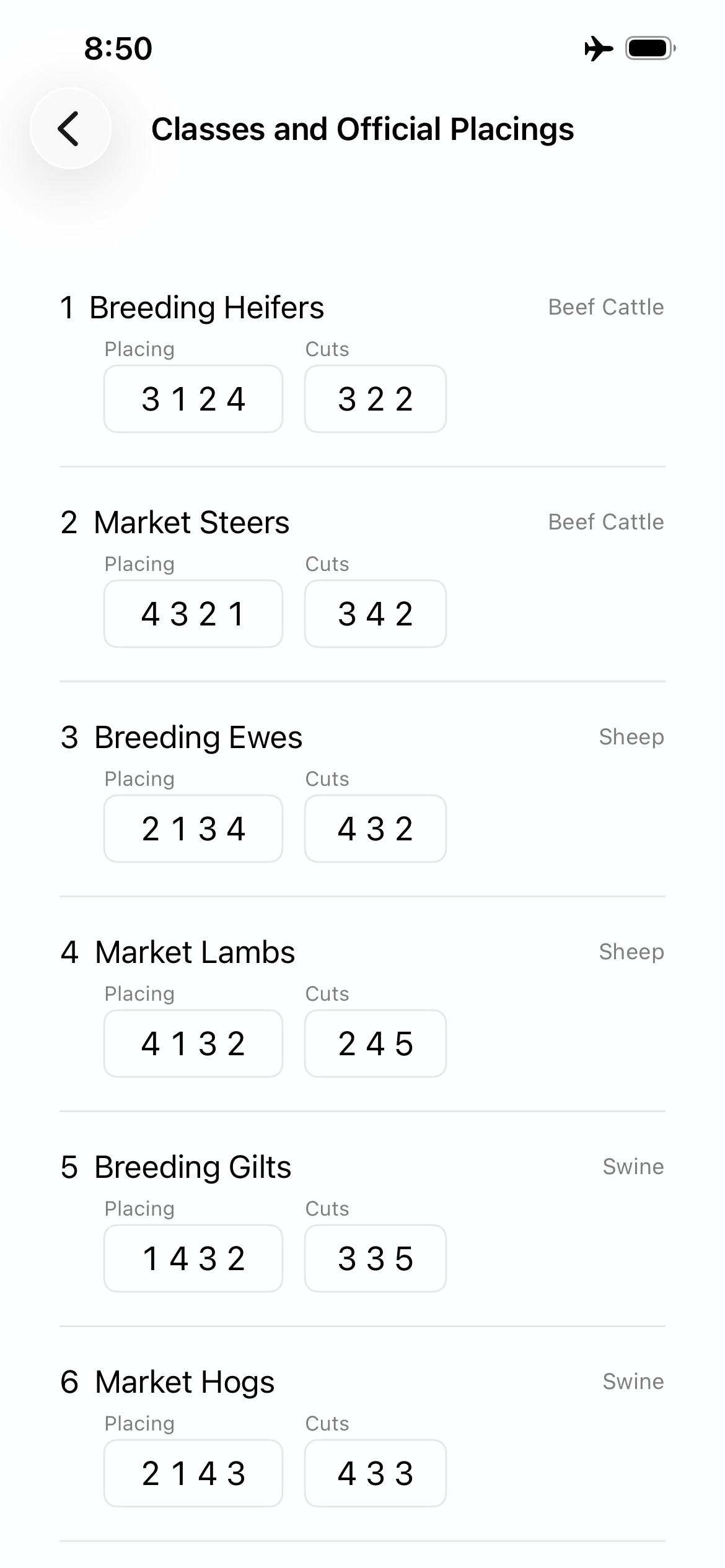
When the official placings and cuts for each class are available, enter them into the app.
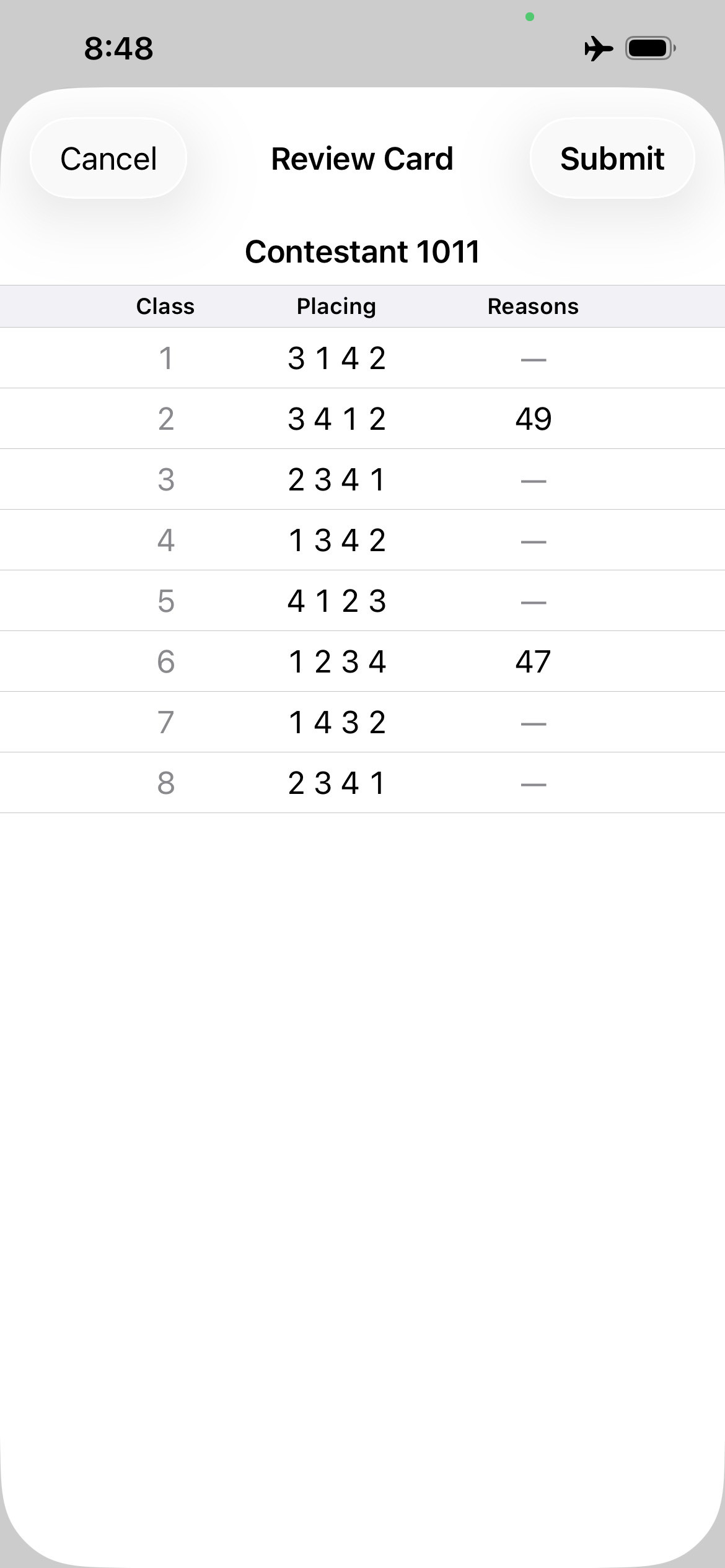
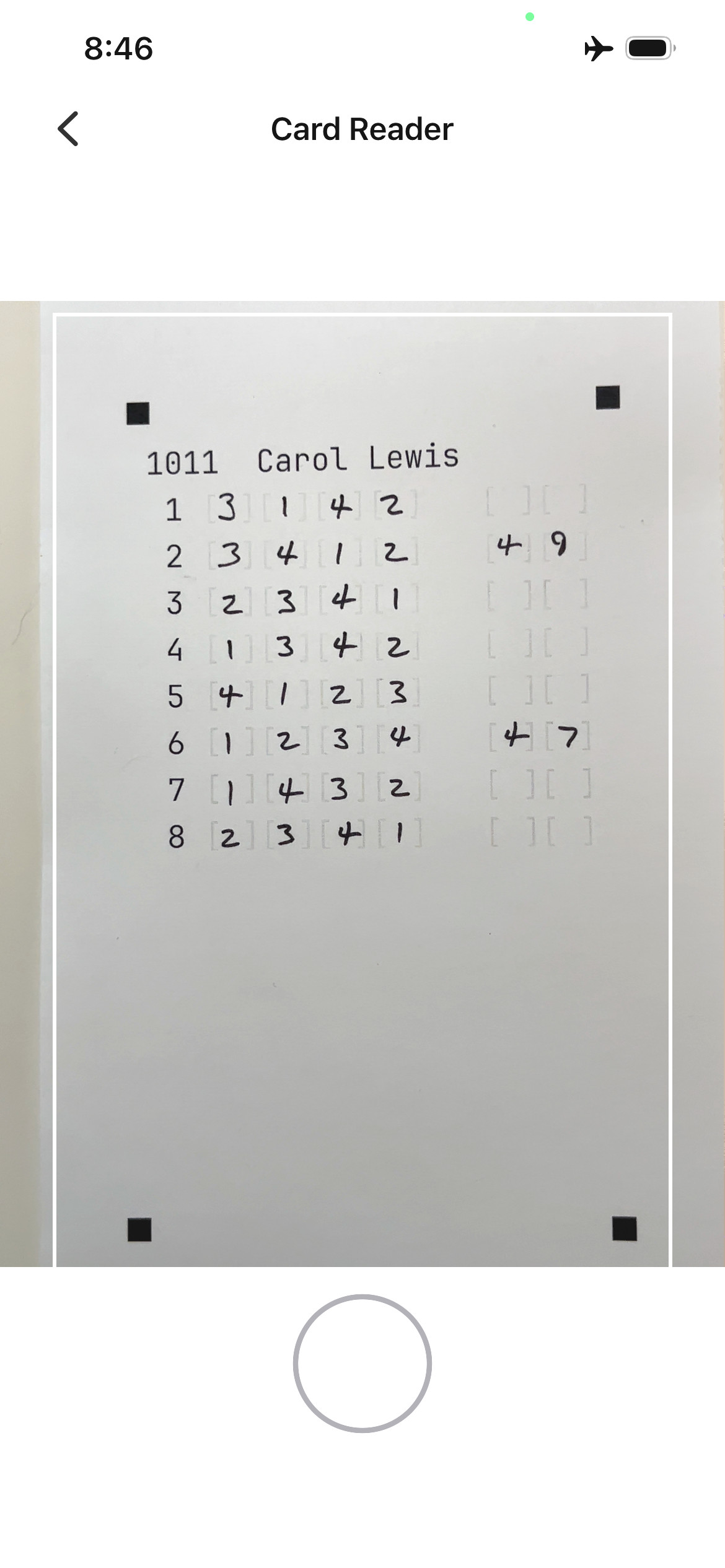
After reasons, collect the cards and scan each one using your iPhone camera. An on-screen guide helps you frame the card. The app reads the written placings and shows you exactly what it found – class by class. Any value it couldn't read clearly is flagged for correction. Tap a field to fix it with a number pad, then submit. The whole process takes a few seconds per card.
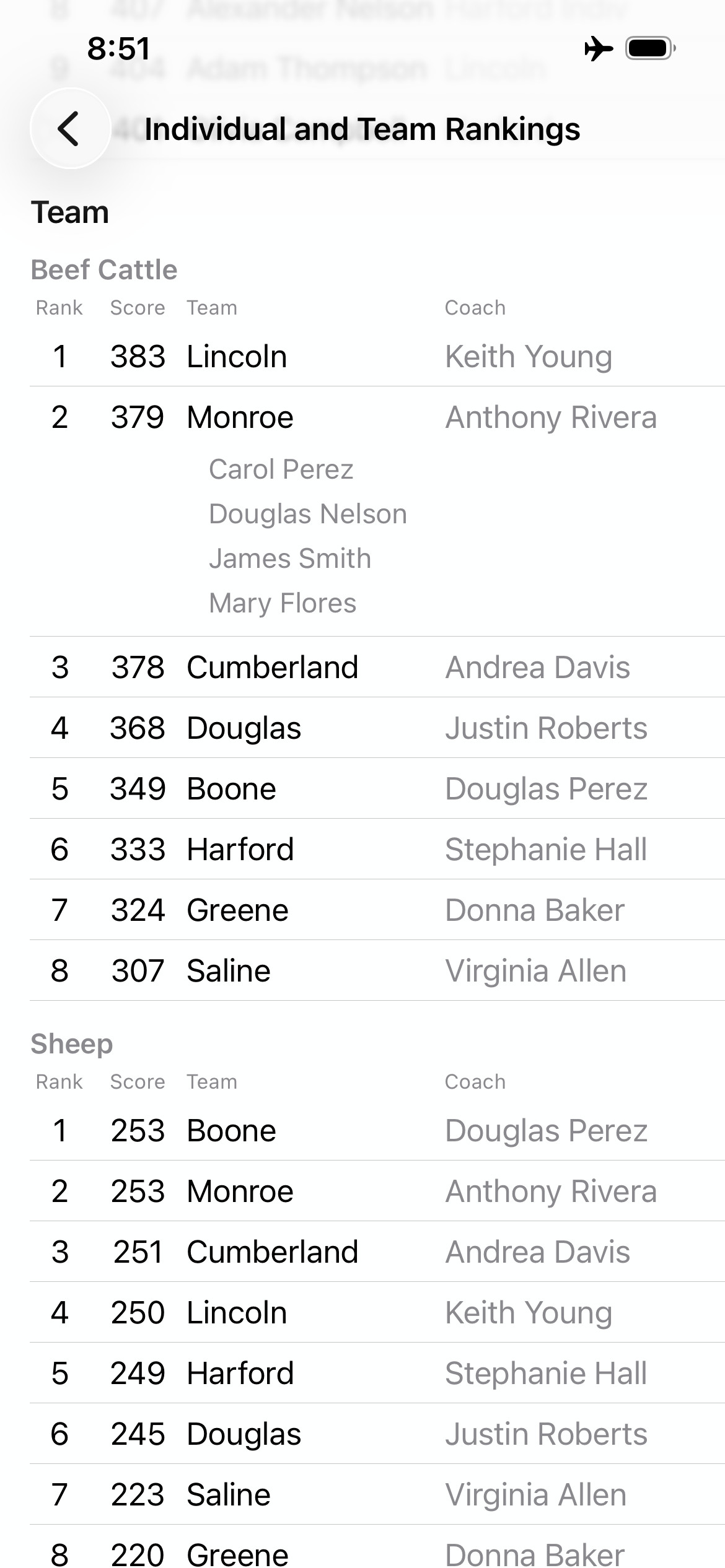
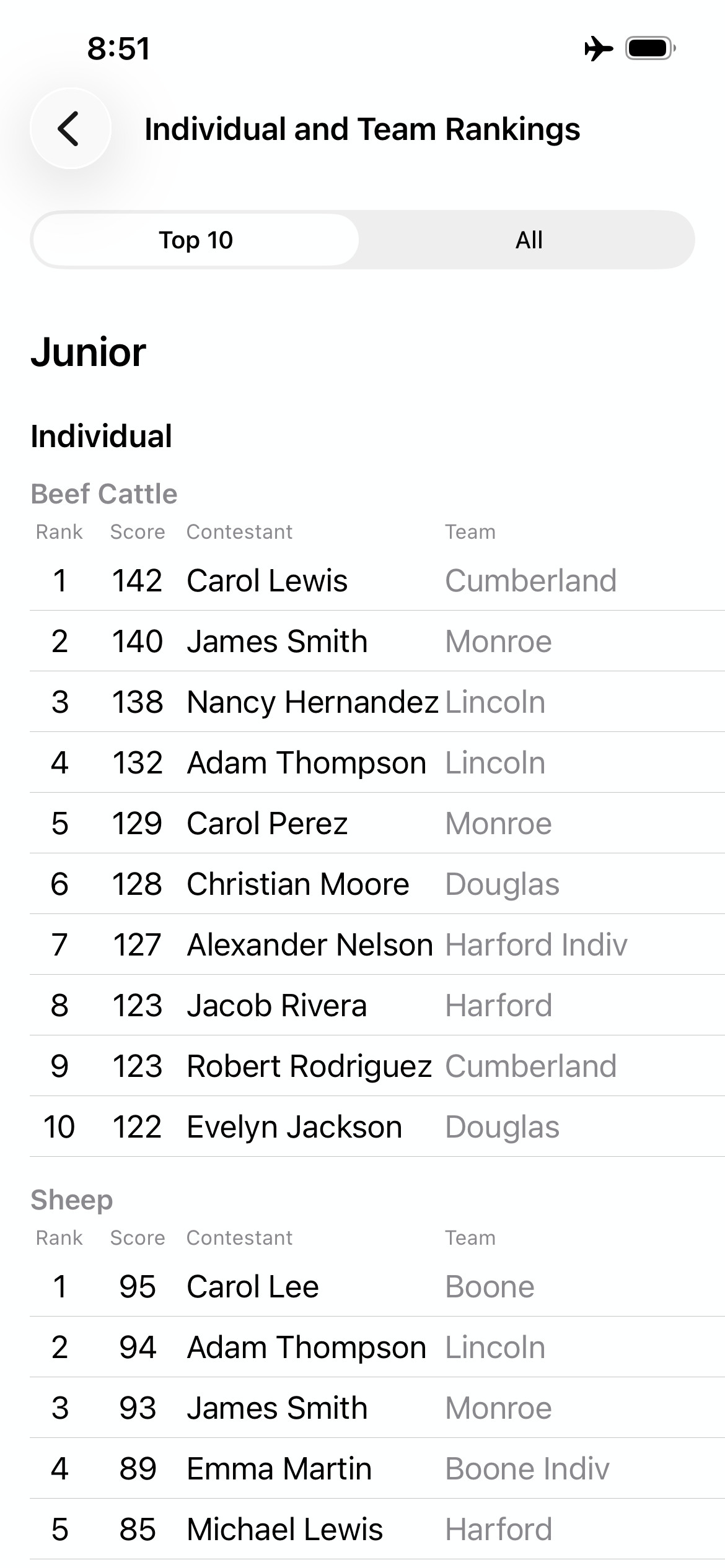
When you're ready to see results, the app scores every contestant, applies a full set of tiebreaking rules, and ranks individuals and teams within each division. No spreadsheet formulas, no manual calculation. Results are on screen immediately – individual ranks, team ranks, scores, and the full contestant list, all in one view.
Also included
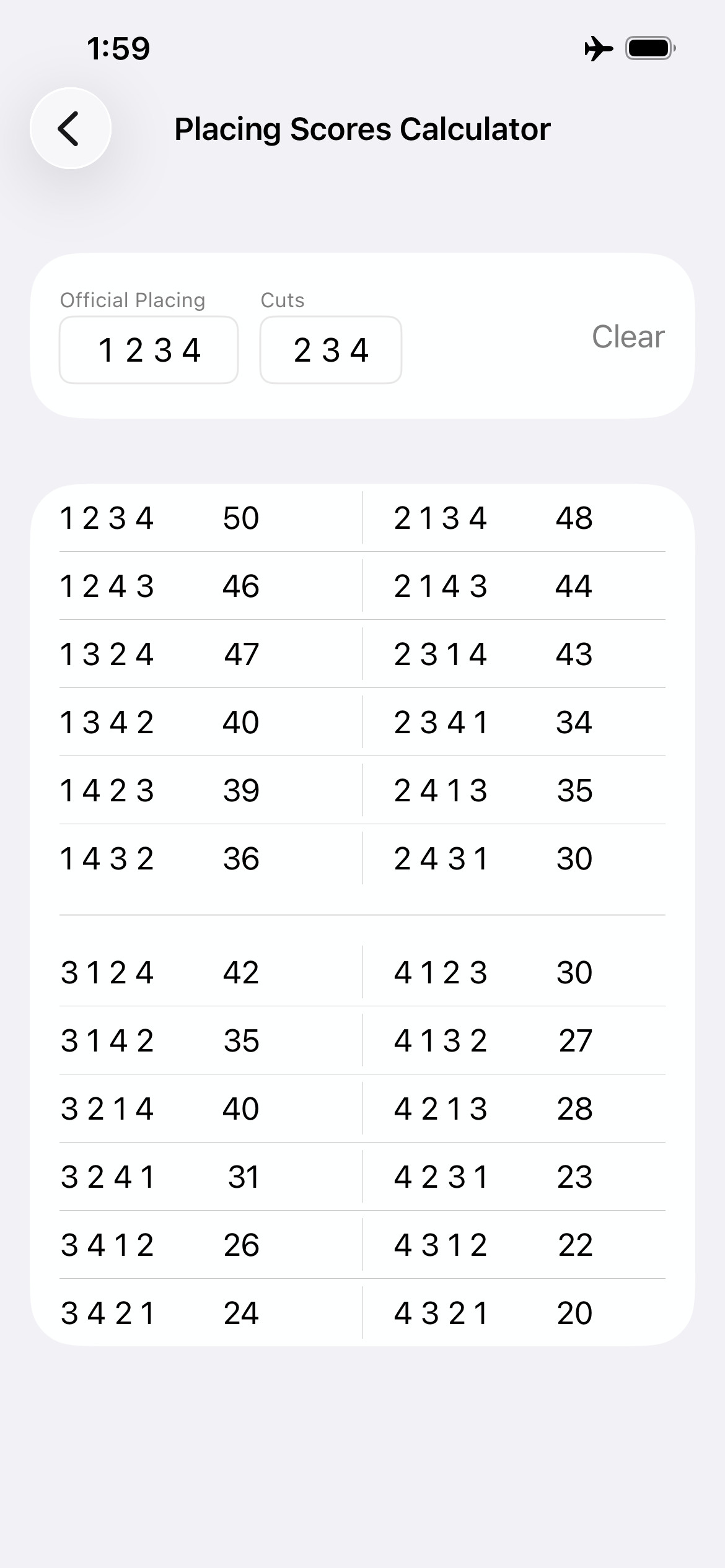
The app includes a standalone placing scores calculator – no contest setup required. Enter the official placing and cuts for a class and instantly see the score associated with every possible contestant placing. Useful for coaches running practice sessions or anyone tabulating a contest by hand.
How it compares
Scantron is reliable and handles card feeding automatically – but it requires specialized hardware and proprietary cards ordered in advance. Judging Scores trades automated card feeding for a phone you already own and cards you print yourself.
| Scantron + service | Judging Scores | |
|---|---|---|
| Equipment needed | Scantron machine | iPhone you already own |
| Judging cards | Proprietary, must be ordered | Printed from the app on standard paper |
| Card handling | Automated feed | One card at a time, manually scanned |
| Results posted by | Third-party service | You, immediately |
| Works without internet | No | Yes |
| Cost | Machine purchase or rental, plus per-card form costs | Free – just paper and a printer (home, school, or a print shop) |
Judging Scores was designed around real judging contests and reflects years of practical tabulation experience. The workflow is built to help organizers collect placings efficiently, catch scoring errors before they matter, and produce reliable results when it counts.
Pricing
Every part of Judging Scores – contest setup, card generation, OCR scanning, scoring and ranking, and exporting results – is free, with no in-app purchases, no subscription, and no restrictions.
FAQ
The contest database is stored as a file on the tabulator's iPhone. In an emergency, that file can be sent to another iPhone that has Judging Scores installed and dropped into the app's folder in the Files app – scoring can then continue on the second device. It's a manual step, so having a backup person familiar with the app is good practice for important contests.
Every card is saved to the database the moment you tap Submit. If the phone dies or the app closes unexpectedly, any card that was fully submitted is safe. Only a card you were actively reviewing at that moment would need to be rescanned. In the worst case – if the only available iPhone fails completely – the physical cards are still intact and can be scanned on another device at another time.
Minor corrections are possible at any time – you can fix a misspelled contestant name, swap a contestant using the same number, or delete a contestant who has no scores yet, all from within the app. Structural changes like adding a class or reorganizing divisions require re-importing the spreadsheet, which is only possible before scoring begins.
Standard 20 lb white printer paper works, but 28 lb is recommended – it's more robust and easier to handle during a contest. A 500-sheet ream of 28 lb paper typically costs about $20. For pens, black medium point felt tip pens give the clearest marks for scanning. Paper Mate Flair pens in medium point are a reliable choice.
Consider having a proctor mark each card with a fluorescent yellow highlighter to the left of the class number, right after a contestant records their placing for that class. A card that reaches scanning without a mark for a completed class is a flag for follow-up. This is a manual practice you run alongside the app, not a built-in feature.
Scanning a card again simply overwrites the previous entries for that contestant. Any of the scanned values can be manually corrected before saving. The Manual Entry view can also be used to correct values at any time.
The National Collegiate and National 4-H Livestock Judging Contest rules are used as published in the NAILE Educational Contests Premium Book.
The core contest workflow – scanning, scoring, and ranking – works entirely without internet. You'll likely use a connection when setting up (to collaborate on the spreadsheet or transfer the import file), when printing cards if they need to be sent to a printer via email or another method, and when sharing or posting results afterward. Running the contest itself has no internet requirement.
Judging Scores requires iOS 26 or later. Check the App Store listing for the full device compatibility details.